One of the best things you can do for the health and longevity of your community-based organization (CBO) is to understand how to bill Medicaid and Medicare programs for community health and other qualifying services.
Each state has different qualifying services, reimbursement rates, and other requirements that can complicate the process. However, we’ve been working with CBOs, nonprofits, and community health workers (CHWs) long enough to know what works and what doesn’t for those trying to get through the claims process with or without the help of a care navigation platform or community health billing software.
Our top 7 best practices for CHWs and CBOs save time and minimize frustration as you try to efficiently serve clients, document services, and submit claims for reimbursement, while reducing rejection rates.
1. Connect with Health Plans
After you have a contract with a Medicaid managed care plan, Medicare Advantage plan, or other payor, and before delivering services, contact them directly to clarify their specific requirements. Each payor may have different expectations related to program delivery, approved codes and modifiers, documentation requirements, visit limits, and claims submission formats.
Staying ahead of these details prevents rejections and gives your team a clear roadmap to follow. Proactive communication builds a strong foundation with the health plan that will be processing the reimbursement, and this relationship can also help when it comes to referrals, community health project opportunities, and accessing guidance when it’s needed.
2. Gather Complete Client Information Up Front and Verify Eligibility
Once services begin, accurate client information is essential, so it’s best to capture that information during the first visit. Collect member ID, plan information, address, ID verification, and referring provider details. Make photocopies if you’re able to, in case you need to fix a data entry issue later.
For Medicaid or Medicare members, verify that the client is still eligible. Sometimes, even when a client provides an insurance card, their coverage may have lapsed or changed (this is likely to increase with the new Medicaid redetermination requirements). If they aren’t current, you can still provide services, but you can’t submit claims for reimbursement.
Thorough intake documentation and eligibility checks reduce the risk of missing information later, prevent delays or denials caused by incomplete records, and keep your organization compliant. A tool that can run eligibility checks automatically without confirming with the health plan directly will also save time by confirming active enrollment, coverage dates, limits, and plan details.
3. Pay Attention to Billing Code Details
As services are delivered, coding accuracy is a necessity to submit claims, so document the service details during the encounter. Each claim requires a service
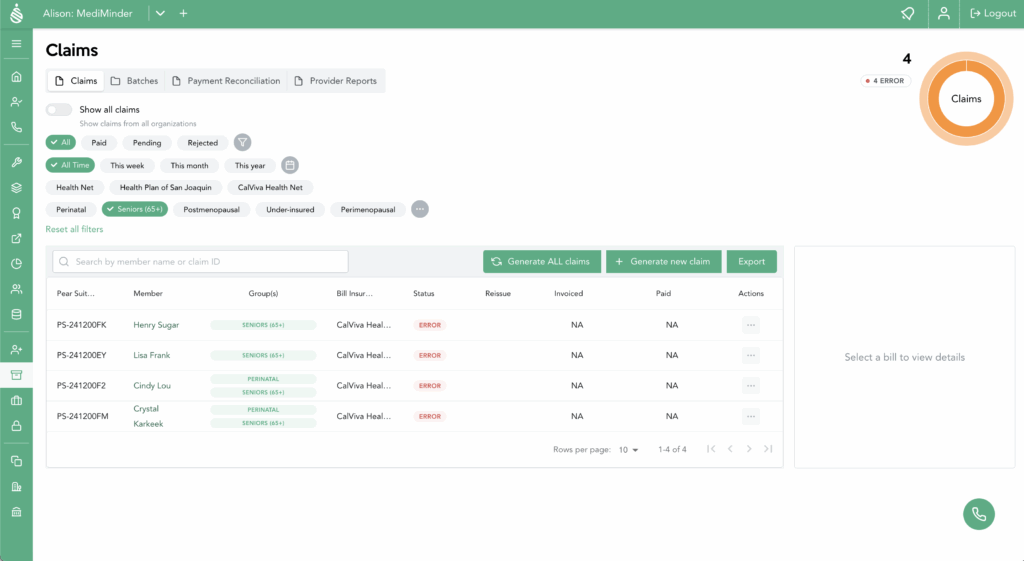
code that explains what was provided (e.g., education, referral, system navigation, etc.) and a diagnosis code that explains why. When you prepare claims, choose the diagnosis code that explains the clinical or social need of the services provided and reduces the risk of denial.
Using incorrect codes for non-essential services is the most common reason for denials. Similarly, place-of-service (POS) codes and modifiers can trip people up and cause denials, which is why it’s important to take detailed records of the encounter and pay close attention when processing claims.
With a tool like Pear Suite’s AI-powered care navigation and billing platform, which allows you to choose from a list of eligible codes versus manually coding each encounter yourself, submitting accurate claims is easier, and audit preparedness is higher.
4. Record Accurate Start and End Times
Create a time-tracking routine around your meetings with a client, family, or group session to avoid guessing at the amount of time spent with a client, as units are typically based on time increments.
For example, plan to record timestamps immediately after each encounter and avoid rounding up. Precise time documentation supports correct unit calculations, prevents overbilling, and strengthens audit readiness.
Some tools, like Pear Suite’s platform, have built-in timers or calculators that can help ensure accurate tracking and maintain data integrity for audits.
5. Be Aware of Service Unit Limits and Scope Creep
Every client is different, and their needs and path to get them met may vary. As a community health provider, your primary role is to connect them to resources, help them stay on track, and answer questions. Their responsibility is to utilize your guidance to address care gaps and make health and well-being improvements. It’s a partnership.
In the quest to help, it’s easy to want to go above and beyond, and CHWs often do. However, not all services are reimbursable, and many programs limit the number of service units a client can receive. Be mindful of your approach to best utilize the units you have available.
If needed, you can request additional units, but you’ll need to provide documentation that clearly ties the need to a relevant condition or barrier, such as worsening symptoms or complex social challenges.
6. Document All Individuals Supported in Household Services
Many CBOs and community health workers work with entire families, for example, when you’re addressing food security or housing concerns. As you’re recording information for each activity that supports a family, include the names of each individual who received services. Doing so can ensure each person’s coverage is recognized, and your organization can submit claims for each eligible member.
Providing documentation for an entire family shows the impact of your services, prevents, and generates additional reimbursable units to support your program and organization. And when it comes time to deliver an impact report to your board, for a grant, or as a part of an annual report or other communications, this additional volume will better reflect the work you do.
7. Streamline Intake and Verification During Community Events
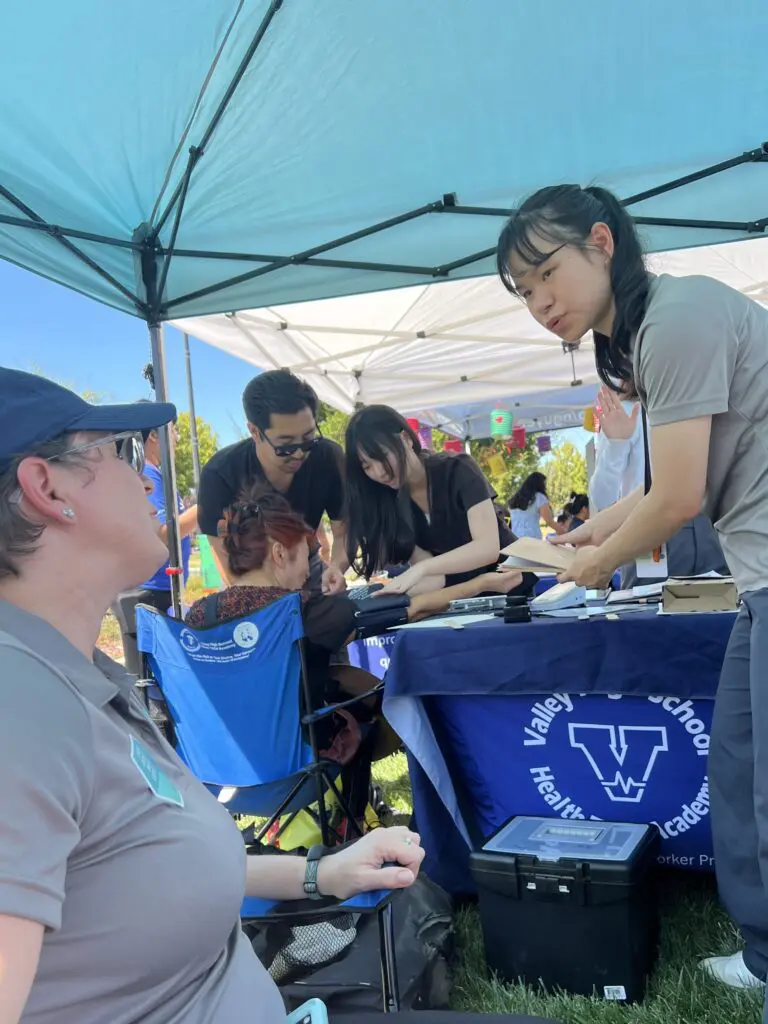
Health fairs, outreach programs, and community events offer high-volume opportunities to connect with new clients. Create a system for capturing client information and service data (see tip number two) easily and compliantly before you get to the event, so you aren’t scrambling. Paper or electronic records can work as long as you can protect a client’s PHI.
Tools, like Pear Suite’s care navigation and billing platform, can simplify your client management and billing processes without compromising security or personal care. It enables quick intake, client data capture, and eligibility checks. It also helps you understand whether those services are reimbursable or not (see tips one and three). Rather than try to input all of the data from paper into a database after the event, which can be labor-intensive, or individually in real-time when WiFi might be spotty, you can quickly and accurately manage data without the headache.
If you’d like information on how Pear Suite supports these aspects of care navigation and billing, or if you’d like to schedule a demo to see our platform in action, schedule time to meet with our partnership team.